Comprehensive User Manual
Welcome to the TradePoint platform manual. This document serves as a guide for both standard users (Members) and system administrators, focusing on our Token Distribution and Algorithmic Asset Liquidation features.
Table of Content
1. Introduction
TradePoint is an enterprise-grade Token Distribution & Algorithmic Selling Platform. It is designed to manage the distribution of assets to users and provide sophisticated algorithms for automated asset liquidation and selling, ensuring controlled and efficient market participation.
2. User Guide
Gaining Access
Access to TradePoint is restricted. Your account will be created and managed by a system administrator.
- Logging In: Once your account has been set up, you can securely access your distributed asset overview through the main login portal using your Google account.
- Google Account Only: Access is available exclusively via Google. Please ensure you use the Google account associated with your invitation.
- Enhanced Security: For the safety of your assets, we strongly recommend enabling Two-Factor Authentication within your Google account settings. This adds an extra layer of protection to your login.
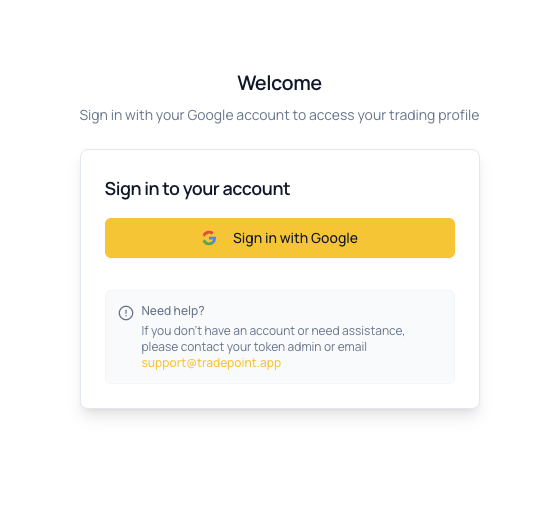
Visual of the login page showing the "Sign in with Google" button.
Account Settings
Manage your personal profile and security preferences.
- Your Profile: Update your contact information and personal details.
- Receiving Addresses: Provide and manage the external wallet addresses where you would like to receive funds.
- Security: Manage your two-factor security settings.
- KYC/KYB: To comply with security and regulatory standards, you must verify your identity before receiving distributed tokens or using automated selling features.
Distribution Dashboard
The dashboard provides a real-time view of the assets assigned to you and their current status.
- Total Asset Value: The combined current value of all tokens distributed to your account.
- Asset List: A detailed list of each token you hold, including its current valuation and the amount assigned to you.
- Value Over Time: A chart showing how the value of your distributed assets has changed.
- Vesting Schedules: View the timeline for when your tokens are scheduled to be released and become available for liquidation.
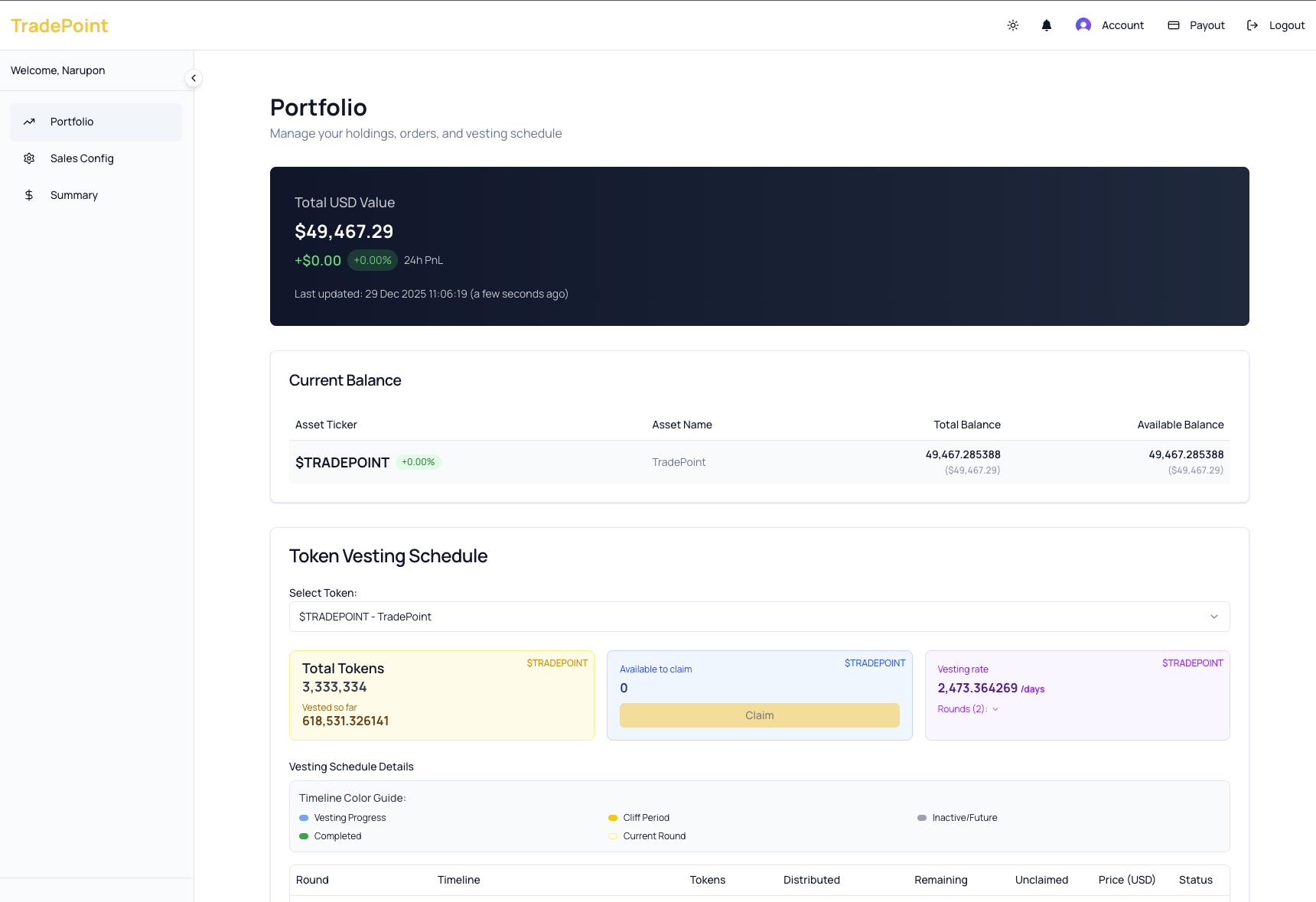
The main dashboard view showing total balance, asset table, and vesting status.
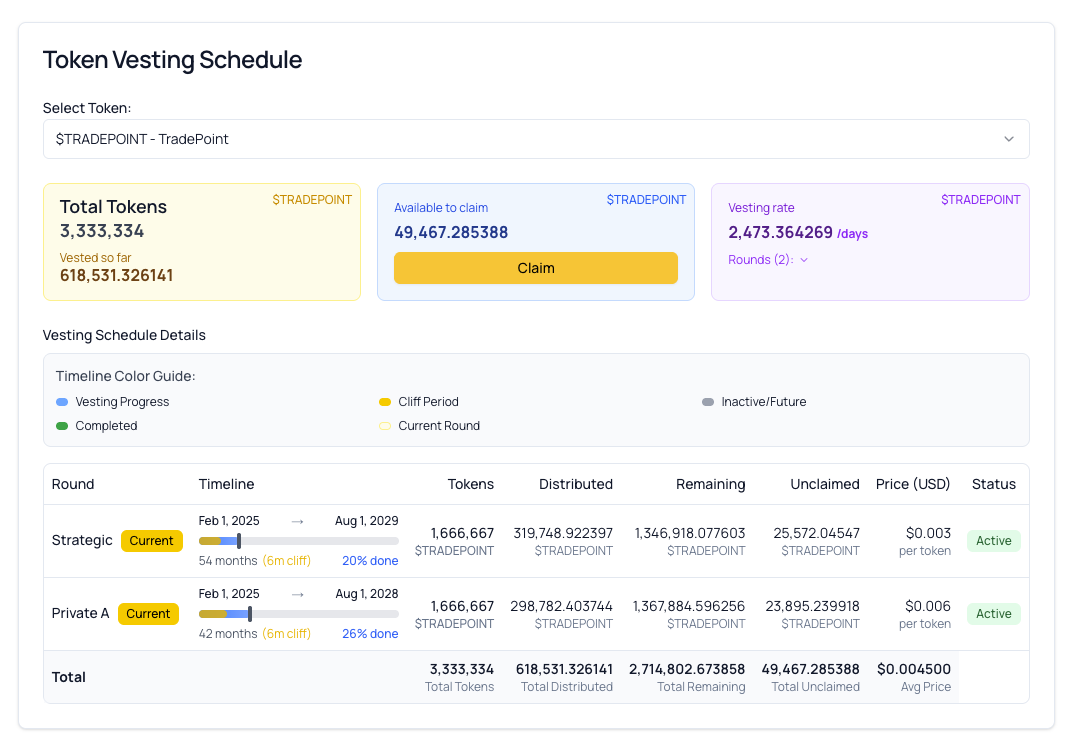
The main dashboard view vesting status and vesting plan
Automated Selling Configuration
Manage how the platform's algorithms automatically sell your assets on your behalf.
- Automated Selling Rules: Set specific conditions that allow the system to sell your tokens automatically, such as reaching a certain price or within a set timeframe.
- Target Prices: Tell the system the prices you would like the algorithms to aim for when selling your assets.
- Hands-Free Execution: Our sophisticated algorithms handle the actual selling process, working to get efficient results without you needing to monitor the markets constantly.
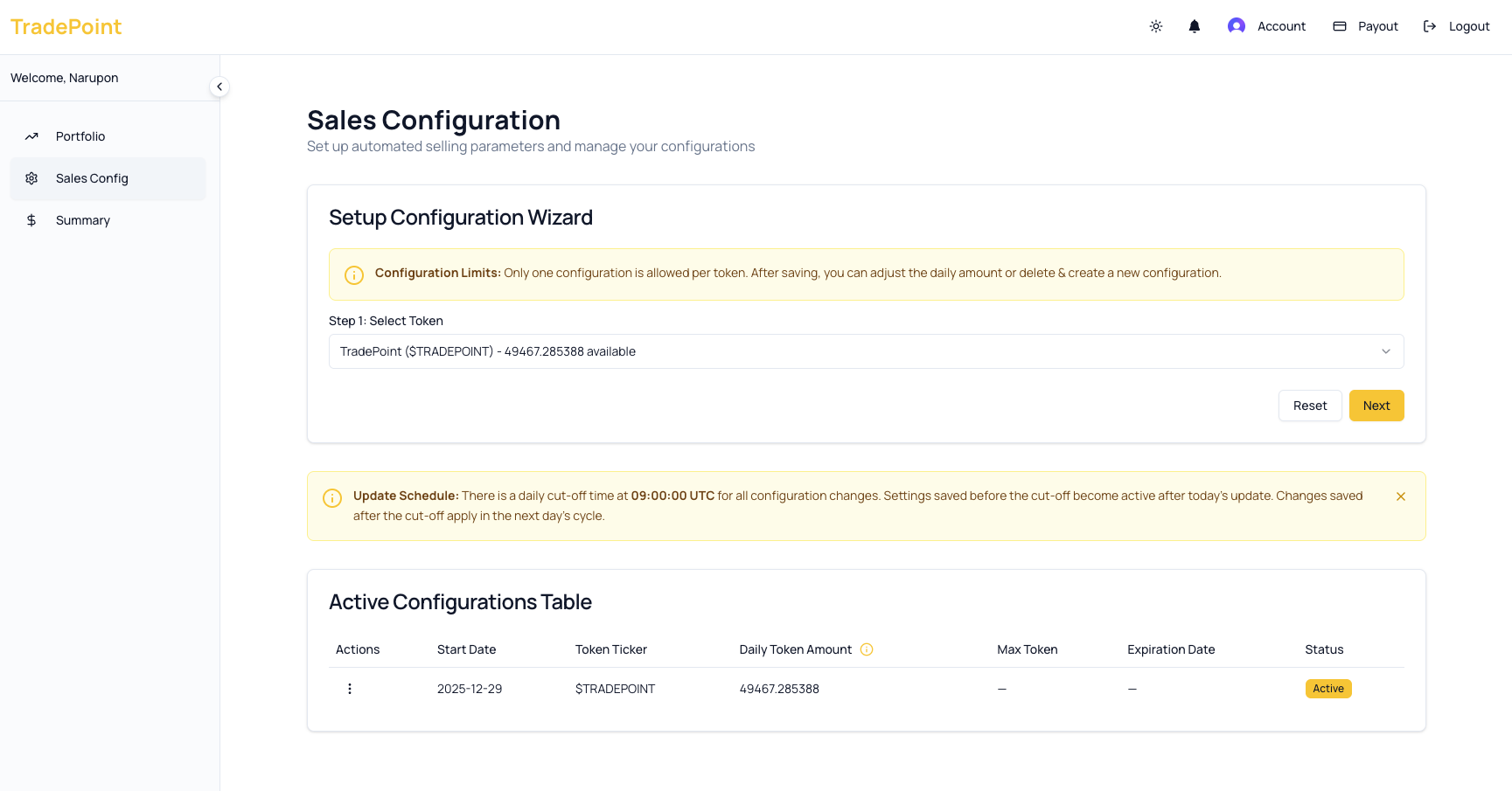
Interface for setting up automated selling rules and price targets.
Distribution Analytics & Summary
Track the history of your distributed assets and the performance of automated sales.
- History Log: A complete list of all token distributions, automated sales, and proceeds received.
- Selling Performance: Insights into how your assets were sold and the results achieved by the automated system.
- Download Reports: You can download your history and performance data for your own records or reporting needs.
Frequently Asked Questions
Q: How do I get an account? A: Accounts are created manually by platform administrators. If you are a participant in a distribution program, an administrator will set up your account for you.
Q: Can I log in with any email? A: No, you must use a Google account. The email address of your Google account must match the one used by the administrator when creating your TradePoint profile.
Q: Is TradePoint a trading exchange? A: No, TradePoint is a platform for distributing tokens and using algorithms to sell them for you. You don't trade on an order book; instead, the system handles the selling process automatically based on your settings.
Q: How does the "Automated Selling" work? A: The platform uses smart algorithms to sell your tokens gradually. This is designed to get better results than selling all at once and minimizes the impact on the token's market price.
Q: What is a "Vesting Schedule"? A: This is a timeline that shows when the tokens assigned to you will be "unlocked" and become available for the automated selling system to use.
If you need further assistance, please reach out to your system administrator or the support team.